Foreword by Ian Thompson, Editor
Deciphering a set of paper plans or 2D digital blueprints can be a daunting task for many individuals, including construction professionals. A common pitfall for self-builders is implementing changes during the build process. Clients often request adjustments during the framing stage, such as resizing rooms or repositioning windows. Such modifications can significantly increase costs, extend the build timeline, and potentially compromise the quality of the construction due to time pressures.
One effective solution to mitigate these issues is the use of digital building tools to create a 3D model of the design. These tools, like Revit, Rhino, SketchUp and others, allow clients and the building team to visualize the finished product, reducing the likelihood of costly changes during the construction phase.
However, during the framing stage, rooms often appear smaller than they are, which can cause unnecessary panic and lead to imagined issues for the clients. To alleviate these concerns, affordable 3D walkthroughs can be commissioned during the design stage which can give a better sense of space, especially if virtual furniture is placed in the rooms.
If budgets are tight, then renderings and walkthroughs can be sourced from affordable offshore resources or platforms like Upwork.com or Fiverr.com. By doing so, clients can make changes without significantly impacting the budget.
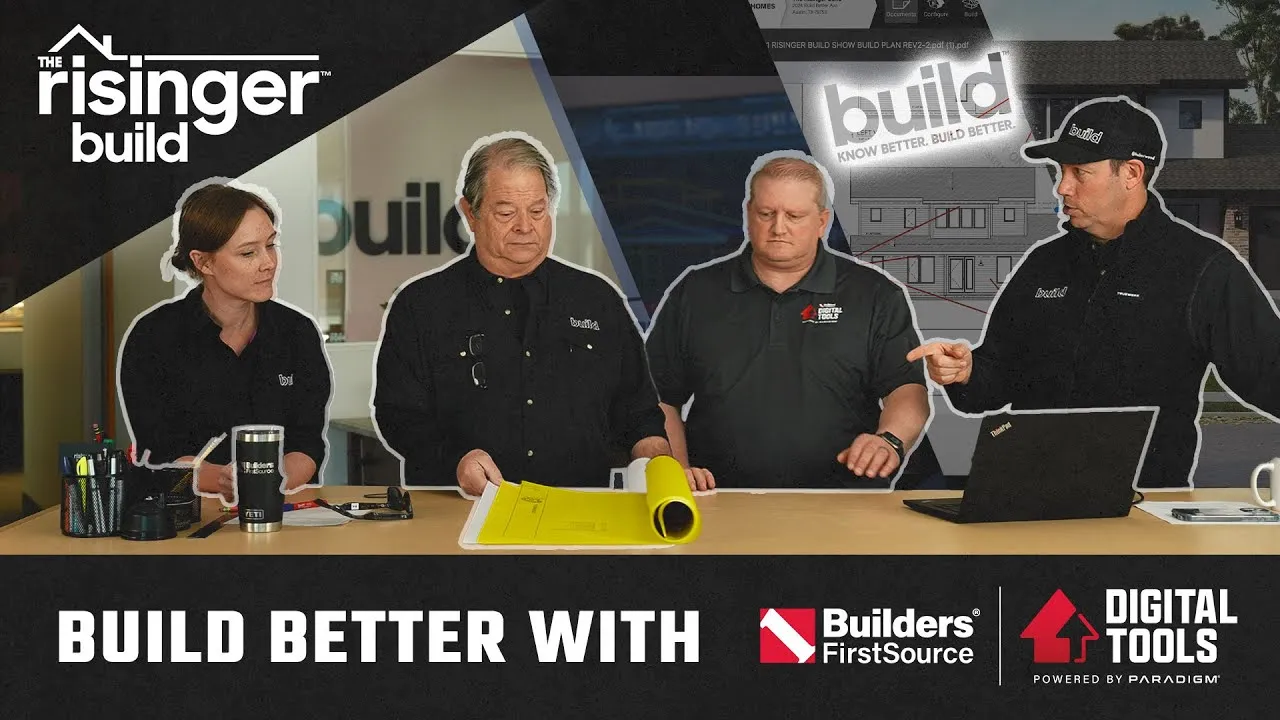
In Matt’s video, he discusses the benefits of such a 3D digital experience, provided by North American building material supplier Builders FirstSource.
This tool not only benefits clients but also provides an invaluable resource for the building team. This approach to planning and visualizing construction projects using digital building tools significantly enhances the building process for everyone involved.
Over to Matt.
Benefits of using Digital Building Tools: Video Transcript
All right, my friends, welcome back to the Risinger Build, Episode 2. We’re at my office today, and we’re going to review the plans that you’re actually going to see what we’re building this time. But I’ve got my friend Justin with Builder First Source here, and if you’re a builder watching this episode, we’re going to absolutely blow your mind on the options available through Builder First Source with their digital toolset. There are so many things that can be done in the pre-planning phase to make sure that you don’t have problems later on and that clients know what they’re going to get to really set their expectations correctly. So, with that being said, the Risinger Build Episode Two, let’s get going.
A Build Original Series in partnership with Builder’s First Source, the Risinger.
Bill, okay guys, so we’re at my office. We’ve got a couple of guests on this episode. First off, let me introduce you to Justin from Builder First Source. Justin, thanks for making the trip to come see me, brother. Good to see you. Thanks for having me to talk about Builder First Source digital building tools. Absolutely. And I’ve also got Tim Hill. Tim’s my business partner at Risinger Build, and we’ve got Chelsea, who’s our in-house architect who’s been working with Steve Basic on these plans. Tim, it looks like you got a fresh set off the copy machine right off the press. I like it.
So, before we jump into digital building tools, Justin, let’s take a minute. Tim and Chelsea, walk us through the floor plan. Show us what we’re going to be building on this infill lot right here in Austin, Texas. Well, we started with a lot that’s in your neighborhood, in that area, a beautiful neighborhood highly desired by the Austin Community. The lot itself, probably 40-50 years old, has lots of huge Heritage trees on it that are difficult to navigate, that’s for sure. And we wanted to design something that fits in the neighborhood. Yep, that makes sense. And I think Steve and Chelsea have done a great job doing that.
Here, let me let Chelsea pick it up and show you where they’re at. Cool, let’s see it. Yeah, let’s flip to the floor plan real quick. We’ve got the front entry nice and wide, and then straight ahead, all the main living spaces. We’re going to have a skylight at the stairwell. Cool. We’ve got the primary suite in the back here on the first floor, which is a big deal for Texans. By the way, this is slab on grade if you haven’t realized that at this point, no basement here. The guest bath is next to the den, which can kind of double as a guest room, and then we’ve got two bedrooms, which each have their own closet and bath and a family room upstairs.
Oh man, this is beautiful. Gorgeous plan, Chelsea. Great job by you and Steve on this. This looks fantastic. Now, Justin, let’s show these guys how we go from a pretty awesome plan at this point to integrating your digital building tools at Builder First Source. Talk to me about how that process looks.
In the model, what we’ve done is we’ve taken your 2D set here, and we’ve modeled that in, and we kind of set the properties, kind of looked at some of the base fit and finish property elements in there, not necessarily colors, but saying, “Hey, what are the materials?” We model that in. Bring it vertical, but then we can walk through kind of virtually and look at the fit, you know, kind of the fit, what it’s intended to, but we can turn on and off the layers and really kind of start to x-ray the house if you will, how we intended to frame, how we intended to build. So it’s that really virtual walkthrough that that really that modeling is set to do, kind of answer your question from how we translate the 2D to 3D space when we’re in planning.
That’s fantastic. So, in other words, you guys actually have drafters in-house that are basically taking this and putting it into a 3D service that builds the skeleton for the house, the bones on out. Right, yeah, and that’s what you’re going to show us here, yeah, correct.
And so, as we kind of looked at what we’ve taken, we bring it into 3D space, and again, the idea here is that we can go vertical, see it, spin it, do a walkthrough of it, and just really get a good feel for the architecture, how we’re intending it to build, and just make sure that we don’t have issues of floor stacking, right, sloped ceilings that we go when we get to the build, and we want to avoid all that by virtually building in the space. You know, that includes kind of being able to take and do kind of a virtual walkthrough and just really look into the space, highlight it, you know, x-ray it if you will, and begin to look.
Continue Reading
Now that’s crazy. So we can literally walk through this 3D model of the house at this stage where we’re not, we’re not trying to render the house, we’re not showing this photo-realistic, we’re really just showing here’s how it’s going to be built, and here’s what the spaces generally look like.
And, you know, we’ll notice that the floor plan kind of generally on the outline comes up to here, and it kind of gives me the viewfinder. We just really can get a good feel for the space, what it looks like, what it’s intended to look like in the architectural set. And so, we’ll kind of explain this a little bit later, but again, this gives you a good feel just, you know, how the house lays out. I love it.
Yeah, now, let me back up a second. I’ve got two licensed architects on this project, right? I’ve got Steve Basic who works all over the country. I’ve got Chelsea who’s our in-house architect. We do some design-build here at Risinger Build, but you guys are able to work with much less than what you were given on this job because really you were in some respects handed a design development set, but you could have had a more schematic set, really a napkin sketch, and taken it from there, right?
Yeah, napkin sketch, general dimensions, right? So we just, we kind of know what you want, the place you want it, and we can take it from there and draft it, much like, you know, much like you would if you’re trying from that design development side. So, from schematic to, “Hey, we want to incorporate architects like you may have on staff,” we can really enter your ecosystem, your back office, through our drafting team at any really any stage, any point of that.
That’s pretty amazing. The thing that I like about what you guys are doing, Justin, is that, you know, I’m an upper-end builder in Austin. I’ve always worked with architects and really talented people that have maybe some Revit ability in their office, but you’re able to scale this out to all of your locations. And Builder First Source is huge, by the way, almost 600 locations in the US.
Take a builder’s PL set, whether it’s a schematic or whether it’s a fully developed set of plans, and turn that into a buildable set of plans that we’re able to build in the computer and really understand what are we getting into so that Tim and I, the rest of the construction team, can hopefully avoid the problems that come with, “Oh shoot, now how do I run the ductwork?” or “I didn’t realize there was going to be a beam there, and that’s cutting off access for what I really need to get mechanicals into the space.”
So, take us to the next step then from here, Justin. Yeah, so once we kind of model it in, then we look at your structural set, we model that in, and then we bring in our component design team, our advanced manufacturing, and be it floor trusses, roof truss, ready frame, we then incorporate that into the model, and we do truly a structurally solved model at that point.
And not that we can’t do that in other ways and looking at it through maybe what you do in a 2D set, but it’s taking that structurally solved model of 3D and been able to look and go, “Okay, where do these trusses sit? Where does that ready frame sit?” But then really is we then kind of work to feed it to the estimated side of what we do, having that material list driving back to the model.
Yeah, and then at that point, that model then feeds the other digital building tools that we’ll talk about later today. Yeah, ’cause at this point, you’re able to really figure out once we’ve got structurals done, what lumber is in this house, what trusses do I need so that really I could get a price from my BFS outside sales rep for all the materials needed on this house, really at this stage of rendering, right?
Yeah, absolutely. That’s huge. So we can verify the budget for clients, Tim, so we can go and make sure that our estimates are still on track for where we are at this point in construction.
Now, when I look at this particular screen, you got up here, I’m seeing a pretty basic bedroom. Do you ever have clients that say, “Gosh, I wish I can’t quite visualize that space when I’m flying through the computer. Is there anything you guys have for that?”
Yeah, you know, again, so we have two different kind of routes that we then take this same model, which we, we call the digital twin, and we can then feed it to a rendering, which is a static piece where we then show a video of your fit and finish, right? So now, again, that’s static, but then we want to take you to the next level.
So, you know, I like to think of the static is the virtual model, right, the virtual spec we walk through, but then the next level is, “Hey, now I start to incorporate my homeowners. I now let them start to configure fit and finish.”
Before you get there, show us, show us this walk-through you mentioned ’cause you actually did it for this house, right? We did. Yeah, and you know, we just sat down with you and said, “Okay, give us an idea fit and finish,” and we’re able to create that walkthrough.
Holy cow, man, you get a good feel for the fit and finish, what’s the rooms look like. That looks fantastic. We’re able to kind of model in furniture. That’s an option of what you can do here. One thing I do like to point out is that we keep the floor plan up because sometimes people get lost in here, and they want to be able to translate it back to that, “Where am I in the kitchen?” That’s awesome. Holy cow, look at that.
And to me, this serves two purposes, right? Number one, it’s customer engagement, but it also can then be dual served on your website as a virtual model. Yeah, um, just imagine shooting a QR code, getting your model on the market, getting, you know, assets or imagery up there while you’re in the build phase, and that serves the dual purpose of what we can do, the rendering piece of that.
Yeah, Chelsea, I’m curious. From your background, how many times have you done a rendering for somebody, and they can’t see past the fact that they don’t like the color of the brick or that the cabinets are? Does that do that happen to you before?
Yeah, it always happens. It’s almost like you try to keep things generic so that they don’t get stuck on those details. So it’s really nice that you can change them out. Yeah, so then you guys will then be able to take this rendering to the next step, which is what?
Yeah, so I tried to jump ahead on you a minute ago, but that is that is home configure. And, you know, it’s taking that same model, that is structurally solved, that we then can go, “Okay, we’re going to build a profile for this market. We’re not going to want you to show something that’s not available in this market.” So we’ve made that region-specific, but then allowing them to go in there and configure it, cabinets, flooring, paint colors, exterior 360 walkarounds, brick, stucco, right, trim. So it’s that fully configurable piece where a buyer can really start to dial in the fit and finish.
That’s awesome. We ask them to do in a design center off of small swatches. Yeah, we’re now able to do a whole home immersive experience for the buyer. That’s amazing. So, for instance, in that kitchen, if the homeowner looked at that and said, “Oh, I really wanted dark cabinets in my mind,” and yet we rendered it as light cabinets, they can actually physically at home, you know, together, the two of them as a couple, play with all those different features, change out the sconces, change the plumbing fixtures, put dark cabinets in, light cabinets, wall colors, all those things to really get a sense for what that house is going to look like.
I mean, Tim, you’ve been building for 40 years. I can imagine over the decades, you’ve had some times that homeowners have showed up to the job and have that look of disappointment like, “Oh, that’s not at all what I was expecting this to look like.” This solves a lot of problems.
You know, it’s a planning disruption. We, it’s a process that we’ve used for years and years and years has proven that it works most of the time, but when it fails, it fails epically. And this forces us to walk through the possibilities with potential clients to figure out what the design obstacles might be because so much more planning goes into this and it uses these digital building tools to discover and find things that we would only discover in the field later.
Yep, so from a planning standpoint, from a marketing standpoint with clients, it’s a game-changer for sure. Yeah, for sure.
Change gears a little bit. Chelsea, I’d love for you to talk us through some of the general job specs like what are we doing on this house to take it from kind of traditional performance or traditional code-built to really closer to what we consider that Risinger standard of a better built house, a heavy-duty house.
Yeah, one pretty simple thing that we’re doing is changing how we’re framing it. We’ve got a wall section, and just as an example from the structural engineer, we’ve got our sheathing attached to the side. Normally, we’ve got the truss overhanging.
What are we using for sheathing by the way, Matt? We’re using Zip R-6, so we’ve got insulated sheathing. The insulation is sandwiched between the framing and the sheathing, so that’s going to be a nice thermal break on all our studs. Right, and our studs, Tim, are 2×4 construction. Is that right on this house? That’s correct.
The trusses, in a traditional framed house, are just right on top of the studs, but what we’re doing is cutting them off and continuing the sheathing up so that we can tape along the top of that corner and have a good air seal there where we don’t have penetrations coming through, little monopoly for, yeah, and this is the difference here.
This is the structural engineer’s wall section that we started with, and then this is our version where we’re continuing the sheathing up. We’ve got some rigid insulation on top of the truss, and then a 2x laid flat on top of that with sheathing over the top for the roof deck, and then attached to the end there, so the eaves are framed outside of that air barrier.
So, I love that term, Monopoly framing because it, kind of in my mind, I picture that green Monopoly piece that doesn’t have any overhangs, and so that’s what the real framing is going to look like to make that air sealing better and less difficult because if we had rafters poking through or tails on our trusses poking through, it’s hard to detail those, but in this case, Chelsea’s designed it, Tim’s designed it so that that truss is going to sit right on top of that 2×4 top plate and be cut at that line, so our sheathing is going to go through that area and land right at the roof sheathing.
I did that at my house. We’ve done on several houses. I see more and more builders going to Monopoly framing. But back to Justin today, that means that when we start on that truss design, Justin, we got to make sure that gets translated to the truss designer so that we don’t make a mistake on that. Are there any other areas that we need to think about in terms of tails sticking through or how do we keep that air barrier continuous?
Well, the bottom of the wall, and then we’ve got some beams that are extending out through the through the top that we need to worry about air sealing in those areas. We’ve got some. Can you show me a couple of those? We’ve a couple overhangs. We’ve got the living room and the garage that have these overhangs here that we need to talk about.
Yeah, okay, so we’ve got this kind of porch area on both of those. So, Tim, tell us why we had to kind of pop that wall in where that back porch is. What’s happening there?
Well, with the Monopoly framing so we can continuously air seal around the living space, the back deck off the living space has to have its own separate roof structure. So the trusses there stop at the plate line, and the trusses and related beams are carried on Point load at the back because of a Heritage Tree and its critical root zone that encroach upon the back slab and the back deck. So that’s why we didn’t square this back corner off more because we would have been into that critical root zone further.
That’s right, and that’s right, that’s a wooden deck instead of a concrete patio. Okay, as opposed to on the side of the garage, it doesn’t have to be air sealed quite as intently. Those trusses can actually cantilever out over the plate. That’ actually be kind of nice because then we can show on camera when we get to the frame stage.
By the way, we’re going to be using ready frames, so this will be a pre-cut package, and we’re using BFS as trusses for both floor and roof trusses on this house. You’ve seen me put a lot of hand-cut roofs in. We’re going to go to a truss roof here for both speed and cost reasons, so we’ll be able to show these guys, Tim and Chelsea, kind of what Monopoly framing looks like versus standard framing all on that same. That’s right.
Yeah, actually, this is a side note, but I really like how we’ve got a two-car garage with a giant addition on there. It gives you workshop space. You know, we don’t have basements in Texas, so unless you build a shed, there’s no place for your bikes, for your toys, for your canoes, or whatever.
And one thing I do want to point out too is, and this is really for Justin, when we frame this garage, we want a solid sheath between the garage and the house with Zip system sheathing on this wall that’s the demising wall between the house and the garage, and that sheathing needs to go all the way up to the roof deck so that we can seal that with a bead of tape or liquid flash or something, and then we’ll frame this garage after that sheathing is up. Right. Does that?
I wonder if that changes anything. It might change a couple of things because we don’t want, let’s say, beams going from inside to out, and we don’t want any trusses going from inside to out either. Right, so, and I think that that’s when we sit on the design phase and look at the direction we run the trusses, we can, we can make sure we don’t penetrate that thermal barrier you’re trying to create there.
Yeah, so that’s right. And speaking of that, talk to us a little bit, Chelsea, about the floor insulation details and what we’re trying to achieve with that. Yeah, so we’re wanting to insulate this slab, so we’ve got a layer of rigid insulation foam on top of the slab, and then we’re going to run two layers of AdvanTech sheathing on top of that.
So we actually don’t have a lot of load-bearing walls on the interior. It’s primarily the exterior. So that means in terms of kind of the process of framing, most of these interior walls will get framed later. We’re going to frame the outside load-bearing walls. This is kind of a Steve Basic detail that I really like. Make those trusses as much as possible load front to back, so we minimize. We do have one, we’ve got a couple Point loads that need to come down on the center of the house, but other than that, we’re trying to keep it as open as possible.
Then we’ll insulate once the house has been dried in, and then we’ll frame those interior walls on top. So it’s the, it’s really traditional framing. There’s nothing different here. We’re going to be able to use ready frame on this, but the sequencing is going to be a little bit different than normal. Right. Little different approach to getting there. Absolutely. Yeah, yeah.
Anything else on this plan that you think we need to talk about with Justin in terms of the truss design or ready frame or any other details that I missed?
Well, the only anomaly that we ran into during the structural design was taking a traditional exterior architectural style and having an open interior floor plan creates some sheer problems, and I think we’ve overcome that with a couple of sheer elements on the wall separating the main body of the house from the living room extension. But all that can be solved with traditional truss and wood framing. We’re really trying to get away from steel as much as possible. That’s right.
And part of that, frankly, for you guys watching, is we want you to be able to build this exact same house wherever you are in this country. All these plans will be available through Builder First Source, and Justin, maybe you could walk us through what the mybldr.com portal looks like and what tools are available for builders through that.
Yeah, absolutely. So, we, you know, we want to make it easier to transact with the Builder’s First Source, but we also want to kind of give you a unified platform to run your business from. And, you know, this really starts as kind of the plan intake that we can then start kind of kicking off the estimate from. So you can go in here, drop your set of plans in, and request an estimate.
That’s kind of natively where people have come in, but then realizing, okay, we can back up a step. We can go in and drop a schematic in here, that kind of that napkin sketch with some dimensions, right, and then click that, “Hey, I want drafting.” Well, we can then create a folder and do that. And as we enter kind of the drafting scene, then we start that all the way through, and whether you shelf a plan that you need updates to, or again, you want to start from zero, we can do that.
That’s amazing. What I love is the, we built that integrated markup tools that are seen really with your permission sets across the different stakeholders, but I can drop imagery onto here, and we can really convey what it is design-wise I’m looking for in here. But then from there, it feeds off into, we can store our engineering in here, and again, then it goes and feeds off our component design.
We can then store our build optimize, including the virtual frame walk in here. Through our materials tab, we’re going to deliver the estimates to you. And you know, today natively what would happen, you got to pick up a phone, you got to call your OSR, right?
Well, imagine having a button where you order it, you request a delivery date, the OSR gets an email, confirms it, and it’s done. I don’t have to worry about it being during business hours, right, because we normally do a lot of this after hours at home.
And then, really kind of bringing in that, we have a schedule piece of this, and we’ve looked at other, you know, we really scheduling software, we want to make sure we include those features, and that includes Gantt chart views, the calendar views. As we see a variety of what superintendents react to, we try to build some of that functionality in. Then the budget phase, if you’re want to do pro formas or look at your BFS invoices and track expenses, if you can’t afford an ERP that’s maybe more one of the more integrated ERPs, we give you some base functions for that.
And then really just tell you, you manage your crews and your stakeholders. What I love about our platform, we don’t require your crews to have a username, password. You send them a link, they’re in. How about that? And you set permissions for it. That’s nice. Yeah, and so that’s what you can do.
And then, of course, ordering all the digital building tools, and of course, the home configures built into here, being able to share that link, go in here and establish your catalog, all that’s nested into this one experience right here, helping you kind of keep continuity, keep all the stakeholders in one platform. Yeah, I think one of the, I hope you don’t mind the reference here, but one of the gateway drugs to bring you into the BFS platform is your render service.
Yeah, you guys offer some renders for not much money. I’m sure it’ll change a little bit on price. I don’t want to name it on the video, but check with your local BFS reps, but you can take a plan that’s a normal plan, input that and do a render which helps me as a builder sell, right? You know, by having that render of, “Here’s what the front elevation looks like. Here’s what the kitchen looks like. Here’s the master bedroom looks like.”
That’s hard to find people that are good at drafting and rendering, but for you guys to have that on your site, upload that, and if I understand correctly, you actually have not just tens of people but hundreds of people in that drafting category that are able to knock this out for builders in a pretty reasonable timeframe and give that back to me so that when I’ve got a client who’s interested, you know, there’s a lot of builders that own lots and are building on spec, they’re interested in selling that plan.
But sometimes all they’ve got is this 2D floor plan. To change that into a render, and then they see that, that’s when they go, “Oh my gosh, this is a game changer,” to get that real 3D, and then they’re interested in all the other digital building tools which is what we’re really showcasing on this video series, right?
And again, you brought up render being, you know, being affordable. We have multiple different options, so, you know, I’d encourage you to visit your local Builder First Source, talk to one of our digital building tools sales specialists. They can help you navigate that. But then even on the home configure side, we’re under a thousand, you can do an interior, exterior configuration and configure that the way you want it.
Again, invaluable, right? The homework’s being done at home, not in your Design Center, not in your office, just so, so much more of an informed, engaged buyer. And our buyers are screaming for that. We’ve heard that for years as builders. Yeah, that’s right.
So yeah, so at this stage, let’s get back to our plan here. We’re basically ready for engineering. We’re just about to get into that. Talk to me about what you guys have this thing called, or that you term, build optimize, that we’re almost about to get into. Talk to me about what that looks like.
Yeah, so build optimizes, we, whether we do the drafting for you or not, we bring the plan set in, we then create that model like we would if we’re drafting it.
Like a skeleton of the house. Skeleton of the house, right, the bones of the house. And we look at the framing components of it, but then we can also model in your sheeting and kind of start to look at your base elements of fit and finish. We can identify that brick materials.
And so, you know, we start to kind of generate that material list on a base level, if you will. And then from there, we take and we feed in your structural set, so we have an idea what that looks like. And then again, as we talked about earlier, that what our component teams are doing, we then bring that in, and we structurally solve it.
Natively today, that structurally solved set kind of stops within the builder’s back office, and our plumbers and our mechanical trades and our electricians really don’t see it. Yeah, so until they get to the job, they get the job site, right? And what happens? They make executive level decisions on behalf of our business that we probably don’t want them making.
That’s right, or we give them kind of the roadmap, if you will, to it. So, in other words, we can take your structural plans, that kind of 3D dinosaur bones of the house, and Tim and Chelsea and I can invite our HVAC guy, our plumber, and our electrician over to the office. We’ll hand them our Manual J that we’re having done from an outside third party, and we’ll say, “Okay, here’s what we’ve got planned for this house. We’ve got a first floor HVAC system, a second floor HVAC system. How are we going to route it through the trusses? Do we have the room? Are there beams in the way?”
And we can figure out all those conflicts at this stage, stage rather than the job site stage. Yeah, and not the mechanical with your plumber, right? And our mechanical and plumbers typically fight for the same space. That’s right. But then the electrician, and especially as we start to stack houses, you know, we start seeing a lot of beams and overhangs that start to kind of block our home runs for electrical and panels where they’re placed.
We can solve all that. We solve for problems that you don’t know yet exist. Yeah, right. That’s what the idea of Bill Optimize is. So it’s trade collaboration, engagement. We don’t fix the plans. We model it in, we run a collision report for you, we sit down with you and your trades, and we go, “Okay, how would you like to fix this?”
We solve it. We then ask for that revised design back. Once those collisions are resolved, we produce secondary plan sets, if you will, supplementals that will then go out that shows all the systems together. But we have dimensions on that where they’re meant to interact. We show the trusses, so everybody knows their space, their cavity, all the way from your plumbing rough through slab all the way up through the top of the roof. That’s all modeled in. We can show it, organize it, and collaborate with it.
That’s fantastic. Yeah, it really takes that pre-planning that doesn’t always happen, right, Chelsea, and allows us to do that between you and Steve as the architect and BFS as the truss designer, as the component manufacturer, and as the supplier of all our truss resources and figure that out ahead of time so that this house, when it gets built, goes way smoother.
We’re not cutting LVLs and then getting a fix from our engineer, or putting fur downs in weird locations to try and get ducts to go in where they weren’t originally intended to go. It just solves all those problems. What did we miss, Justin, on the digital building tools for today? We’re going to have lots of time in future episodes to talk about how we’ll certainly cover them.
We’ve given a good overview of how we’re going to integrate those into this build process. It’s the planning phase we’re going to be involved in. And again, we want to help you become efficient in running your business, how you integrate your back office, involve your stakeholders. That’s what we’re designed to do.
In the meantime, guys, if you’re watching this and you want to see this plan or actually my house plan, as well as, I don’t even know how many plans you’ve got on. It’s changing all the time. We’re adding every day. It’s changing, but you can go to their outside plan site, which is blrplans.com, for anybody to look at, and you can buy those plan sets including this one, my house, and a bunch more over there.
So, at this stage, let’s get back to our plan here. We’re basically ready for engineering. We’re just about to get into that. Talk to me about what you guys have this thing called, or that you term, build optimize, that we’re almost about to get into. Talk to me about what that looks like.
Yeah, so build optimizes, we, whether we do the drafting for you or not, we bring the plan set in, we then create that model like we would if we’re drafting it. Like a skeleton of the house. Skeleton of the house, right, the bones of the house. And we look at the framing components of it, but then we can also model in your sheathing and start to look at your base elements of fit and finish. We can identify that brick materials.
And so, you know, we start to generate that material list on a base level, if you will. And then from there, we feed in your structural set, so we have an idea of what that looks like. And then again, as we talked about earlier, that what our component teams are doing, we then bring that in, and we structurally solve it.
Natively today, that structurally solved set kind of stops within the builder’s back office, and our plumbers and our mechanical trades and our electricians really don’t see it. Yeah, so until they get to the job, they get the job site, right? And what happens? They make executive level decisions on behalf of our business that we probably don’t want them making.
That’s right, or we give them kind of the roadmap, if you will, to it. So, in other words, we can take your structural plans, that kind of 3D dinosaur bones of the house, and Tim and Chelsea and I can invite our HVAC guy, our plumber, and our electrician over to the office. We’ll hand them our Manual J that we’re having done from an outside third party, and we’ll say, “Okay, here’s what we’ve got planned for this house. We’ve got a first-floor HVAC system, a second-floor HVAC system. How are we going to route it through the trusses? Do we have the room? Are there beams in the way?”
And we can figure out all those conflicts at this stage rather than the job site stage. Yeah, and not the mechanical with your plumber, right? And our mechanical and plumbers typically fight for the same space. That’s right. But then the electrician, and especially as we start to stack houses, you know, we start seeing a lot of beams and overhangs that start to block our home runs for electrical and panels where they’re placed.
We can solve all that. We solve for problems that you don’t know yet exist. Yeah, right. That’s what the idea of Build Optimize is. So, it’s trade collaboration, engagement. We don’t fix the plans. We model it in, we run a collision report for you, we sit down with you and your trades, and we go, “Okay, how would you like to fix this?”
We solve it. We then ask for that revised design back. Once those collisions are resolved, we produce secondary plan sets, if you will, supplementals that will then go out that shows all the systems together. But we have dimensions on that where they’re meant to interact. We show the trusses, so everybody knows their space, their cavity, all the way from your plumbing rough through slab all the way up through the top of the roof. That’s all modeled in. We can show it, organize it, and collaborate with it.
That’s fantastic. Yeah, it really takes that pre-planning that doesn’t always happen, right, Chelsea, and allows us to do that between you and Steve as the architect and BFS as the truss designer, as the component manufacturer, and as the supplier of all our truss resources and figure that out ahead of time so that this house, when it gets built, goes way smoother.
We’re not cutting LVLs and then getting a fix from our engineer, or putting fur downs in weird locations to try and get ducts to go in where they weren’t originally intended to go. It just solves all those problems. What did we miss, Justin, on the digital building tools for today? We’re going to have lots of time in future episodes to talk about how we’ll certainly cover them.
We’ve given a good overview of how we’re going to integrate those into this build process. It’s the planning phase we’re going to be involved in. And again, we want to help you become efficient in running your business, how you integrate your back office, involve your stakeholders. That’s what we’re designed to do.
In the meantime, guys, if you’re watching this and you want to see this plan or actually my house plan, as well as, I don’t even know how many plans you’ve got on. It’s changing all the time. We’re adding every day. It’s changing, but you can go to their outside plan site, which is blrplans.com, for anybody to look at, and you can buy those plan sets including this one, my house, and a bunch more over there.
That being said, guys, thank you for your time. I appreciate it. I’m excited, Tim. We’ve got a permit that we should be picking up any day now, right? That’s right. As soon as the city is able to issue it, we’ll pay for it and be ready to get started.
Which means the next episode is going to be on the site talking about our slab work. Now, this is a bit of a remodel. You saw from episode one, we took an old house down. We’ve got an existing slab, and a big reason why we did that, kind of build over, was because we were able to kind of reuse that slab location which wouldn’t have necessarily been available to us because of some of those Heritage trees.
Add on to that slab, but in the end, when we get to the end of the episode, it’s going to look like a brand new slab. There’s really none of that existing concrete, maybe except for the driveway, that will still look like it does today out on that job site when we’re done.
Guys, thanks for joining us for episode two. Episode three, we’re going vertical, although it is only six inches higher, it’s still vertical. Slab prep, Episode 3. See you next time.
Related Articles/Links
The Risinger Build Episode 1: Pre-Construction Planning
Matt Risinger’s Build Productions Website


